3 Moves That Prevent Most Bocconi Exam Day Disasters

3 Moves That Prevent Most Bocconi Exam Day Disasters
Print your test credentials and a valid photo ID, set up one approved device with a charger nearby, and start the test during technical-support hours if you want a safety net. Those three moves eliminate most day-of disasters. If your plans change, you need to reschedule through your Personal Area at least 24 hours before your original slot, not the morning of.
TL;DR:
- Printing and memorizing your login details in advance minimizes testing disruptions caused by autofill failures during lockdown browsers.
- Starting the test during official support hours and rescheduling at least 24 hours in advance prevents technical issues and missed windows.
- Only the registered device is permitted during the exam, and clearing all extra devices or peripherals reduces the risk of violations flagged by proctoring software.
- Practicing timed full simulations beforehand improves pacing, reduces errors, and helps manage exam-day nerves.
- Documenting any technical issues with timestamps and screenshots enables proper review and increases the chances of support intervention if needed.
Table of Contents
- Consigli Giorno Esame Bocconi: The Exam-Day Checklist
- When Can You Take the Test, and How Do You Reschedule?
- What Are the Device and Room Setup Rules?
- How Should You Pace Yourself During the Test?
- Common Exam Day Mistakes to Avoid
- How Do You Manage Stress on Exam Day?
- What to Do If Something Goes Wrong During the Test
- A Test-Day Ritual Worth Copying
- Practice the Real Thing Before You Sit the Real Test
- Where to Verify These Rules Yourself
- Sources
Consigli Giorno Esame Bocconi: The Exam-Day Checklist
Consigli giorno esame Bocconi almost always come down to preparation done the night before, not scrambling the morning of. Run through this list before you sit down to test.
- Print or write down your username and password from your Personal Area. Browser autofill can pull the wrong saved profile or fail entirely under lockdown settings, so rely on the exact credentials shown there.
- Bring a valid photo ID and keep it next to your laptop, not in another room.
- Turn your phone off and put it out of reach. Only one computer is allowed during the test, along with a charger and a wired mouse if you prefer one.
- Pack one pen or pencil, two blank A4 sheets, and an unlabeled water bottle. A light snack before you start helps more than one during the test.
- Run a full device check: charge the battery, update your browser, confirm camera and microphone permissions, and close every other app.
Handle this an hour before your booked slot, not five minutes before. For a deeper breakdown of what to gather in the days leading up to test day, this device and ID checklist covers the details.
When Can You Take the Test, and How Do You Reschedule?
The official access window runs the entire booked date, from 00:00 to 23:59 CET/CEST, so you technically have 24 hours of flexibility to start the Bocconi admission test. Technical support, however, only runs Monday through Thursday from 9:00 AM to 6:00 PM and Friday from 9:00 AM to 4:30 PM CET/CEST.
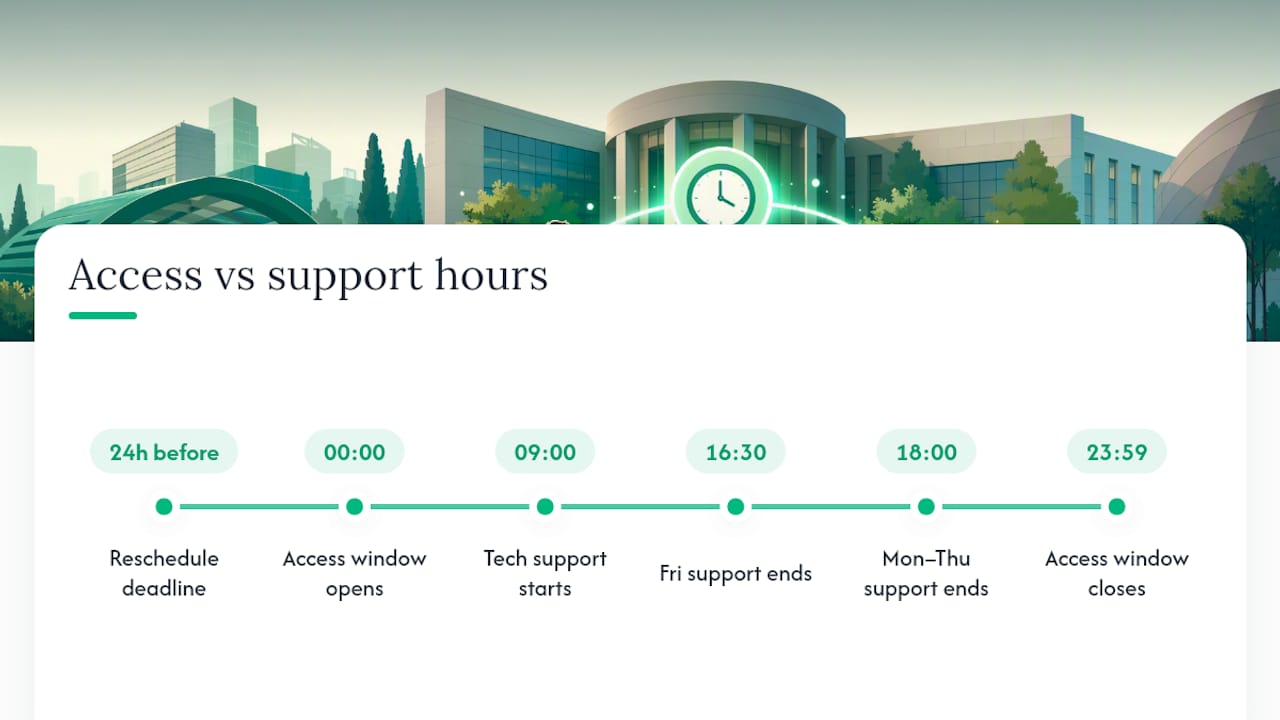
Starting outside those hours means you are on your own if something breaks. That gap between the access window and support hours is the single most overlooked detail in Bocconi exam day tips, and it is worth building your whole schedule around.
If your test date no longer works, or you need to change the language, you can reschedule through your Personal Area, but only with 24 hours of notice before your original appointment. Miss that window and you are locked into your original slot. Check your exam timetable and classroom assignment details in your student Agenda a few days ahead, since start times can shift slightly by exam type.
What Are the Device and Room Setup Rules?
Only the device you registered for the test may be active during the session. No second monitor, no tablet propped up beside your laptop, no smartwatch buzzing on your wrist. Bocconi’s rules treat any additional internet-capable device as a violation, even if you never touch it.
Before you begin, close every remote-control app, virtual machine, messaging platform, and video-calling tool running in the background. Proctoring software checks for exactly these programs, and an open Zoom window in your taskbar is enough to flag a review.
- Clear your desk down to your device, one pen or pencil, and two blank A4 sheets.
- Remove books, notes, calculators, and phones from the room entirely, not just from view.
- Dress simply and skip clothing with pockets, since some setups require you to show your desk and surroundings on camera.
Pro Tip: Do a full webcam walk-through of your desk the night before, exactly as you would during the live check. If your camera angle hides part of the desk or catches a bookshelf, fix it then, not while the clock is running.
How Should You Pace Yourself During the Test?
A simple pacing rule beats a complicated one when adrenaline is running high. Treat roughly 90 seconds per question as your baseline, then adjust up or down depending on which sections play to your strengths.
- Answer every question you find straightforward first. Momentum matters more than perfection early on.
- Flag anything that requires real thought and move past it. Return to flagged questions in a dedicated second pass once you have banked your easy points.
- Reserve your final minutes for a verification pass. Check for unanswered items and obvious entry errors before time runs out.
- Use your two A4 sheets with structure, not chaos. Label each sheet by section and number your scratch calculations so you can find them again if you need to double check a number.
Students who complete a full timed run under exam-like conditions before test day consistently report fewer errors and steadier nerves once the actual clock starts.
Common Exam Day Mistakes to Avoid
Most disqualifications and lost points trace back to a handful of preventable errors, not bad luck.
- Relying on saved passwords instead of printed credentials. Autofill fails under lockdown browsers more often than students expect, so test your written credentials the day before.
- Starting outside tech-support hours without testing your setup first. If your webcam or browser has ever glitched, do not risk a first-time failure with no one to call.
- Ignoring your camera framing and forbidden items. A calculator on a shelf behind you or a phone charging within reach can trigger a compliance flag even if you never touch it.
How Do You Manage Stress on Exam Day?
Anxiety spikes are normal, and the fix is mechanical, not motivational. Try a 4-4-4 breathing pattern: inhale for four seconds, hold for four, exhale for four, repeat three times. It slows your heart rate faster than trying to talk yourself out of nerves.
Sleep and a light meal beat a last-minute review session every time. Student survival guides consistently point toward steady preparation over cramming, since exhausted recall is worse than rested recall, even with less material reviewed.
Pro Tip: If one question spikes your anxiety mid-test, skip it immediately and come back during your flagged-question pass. One hard question should never cost you five easy ones.
What to Do If Something Goes Wrong During the Test
Technical problems happen, and how you respond in the first sixty seconds matters more than the problem itself.
- Take a timestamped screenshot of the error the moment it appears.
- Keep the test page open rather than closing your browser or restarting your device.
- Contact technical support through the official channel listed in your test instructions.
- Note your browser version and device state in case support asks for it later.
- If you suspect a setup issue is being flagged as non-compliance, document your room and device exactly as it was rather than adjusting anything.
- File a written report with your evidence afterward, and ask about the post-test review process if one is offered.
Remember that incidents reported outside support hours are processed starting the next business day, which is exactly why starting your test earlier in the support window buys you a real safety margin.
A Test-Day Ritual Worth Copying
The students who walk in calmest tend to share one habit: they run a dry test the night before. Same device, same desk, same webcam angle. They print their credentials, seal them in one envelope with their ID, and pick a start time squarely inside support hours instead of gambling on the edges of the access window.
None of this guarantees a perfect score. It just removes the risks that have nothing to do with how much you know, which is exactly where most points get lost.
— quentin
Practice the Real Thing Before You Sit the Real Test
Reading a checklist tells you what to do. Running a real, timed simulation tells you whether you can actually do it under pressure, and that gap is where most students lose points they already knew how to get. Practice sessions can be built from official past papers and timed like the real admission test, helping pacing advice become practical experience.
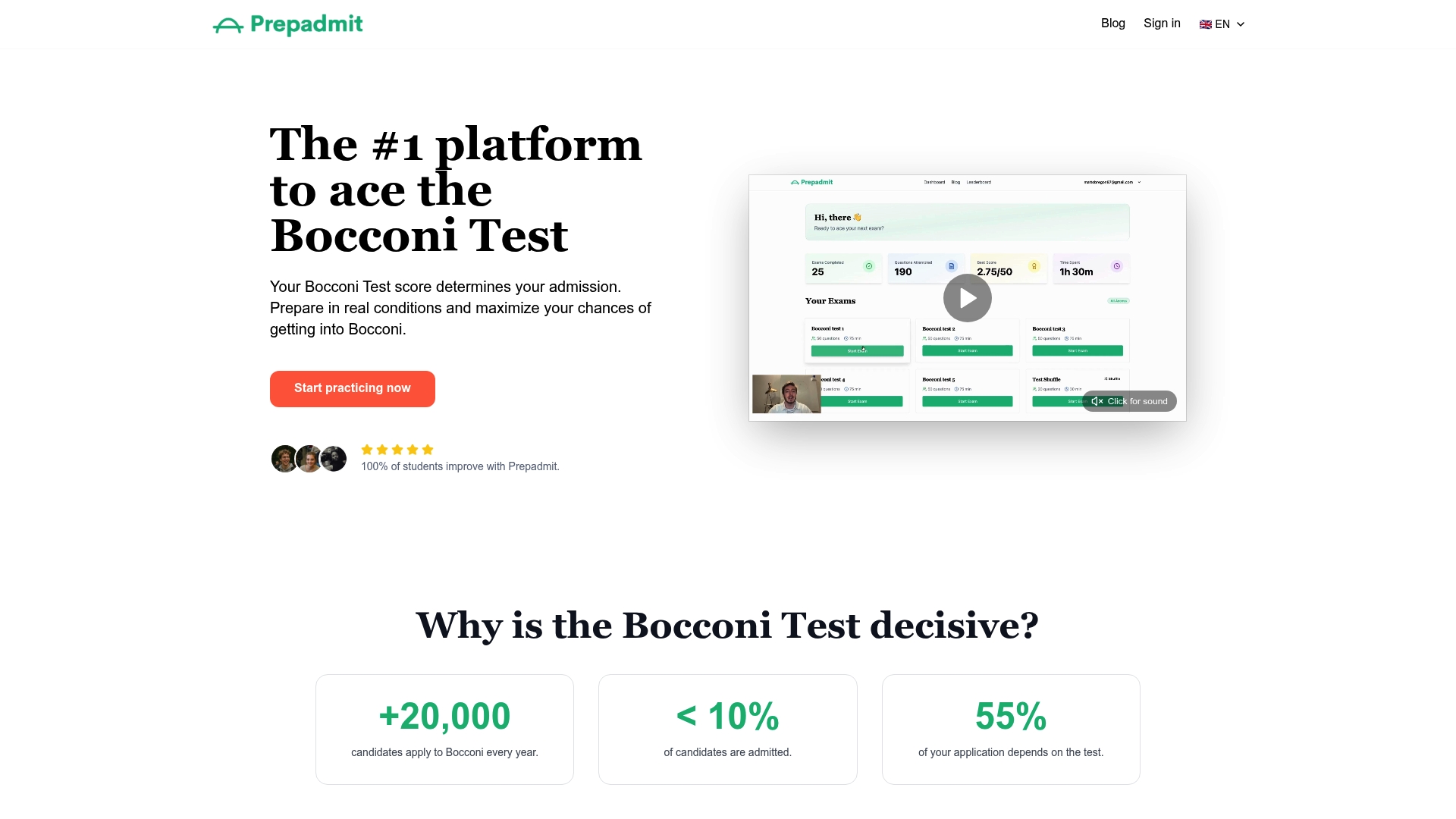
You get credential-style login practice, section-by-section timing, and a progress dashboard that shows exactly where you are losing seconds instead of guessing. A full simulation run the week before your booked date is the closest thing to a dress rehearsal you can get. Sign in and start a timed simulation on Prepadmit today, or check out the full platform to see how the practice tests, corrections, and peer rankings fit into your remaining prep time.
Where to Verify These Rules Yourself
- Bocconi’s official admission test instructions for room setup, permitted items, and support hours.
- Graduate instructions and rules covering credentials and rescheduling.
- A student-written exam survival guide for peer-tested wellbeing tactics.
- General admissions exam-day advice for broader context on test-day preparation.
Sources
- ADMISSION TEST AY 2026-2027 — Bocconi instructions and rules (English)
- Bocconi — Graduate instructions and rules 2025-26 (English)
- From one student to another: the ultimate exam survival guide — Tra i Leoni
Recommended
Related articles
Ready to ace your admission test?
Discover PrepAdmit, the platform that helps you succeed at top university admission tests.
Discover PrepAdmit