How to Register for the Bocconi Entrance Test in 2026

How to Register for the Bocconi Entrance Test in 2026
Registration for the Bocconi Test happens on Bocconi Webtesting, the university’s dedicated testing platform, not on the main Bocconi admissions site. You create an account with your own personal data, pay €60 per attempt by PayPal or credit card, and book a date. The platform requires you to book at least 48 hours before sitting the test, and booking windows close ahead of each admission round’s deadline, so waiting until the last week is risky.
Here is what to lock in immediately:
- Where: bocconiwebtesting.giuntipsy.com
- Cost: €60 per test attempt, per the official instructions
- Timing: book 48 hours ahead minimum; sessions close before round deadlines
Pro Tip: Book your date as soon as your account is verified. Popular slots near round deadlines disappear fast, and the platform won’t let you book inside the 48 hour window.
Key Takeaways
Registering for the Bocconi Test requires creating an accurate account on Bocconi Webtesting, paying €60 per attempt, booking at least 48 hours ahead, and manually submitting your score to Apply2B.
| Point | Details |
|---|---|
| Register on the right platform | Create your account at bocconiwebtesting.giuntipsy.com using your own personal data, not a parent’s. |
| Budget €60 per attempt | Pay by PayPal or credit card, and wait 24 hours between purchases if buying another attempt. |
| Book with buffer time | Reserve your date at least 48 hours in advance, since windows close before admission-round deadlines. |
| Handle accommodations early | Submit DSA documentation at least five working days before your booked test date. |
| Upload your score manually | Enter your Score Report into Apply2B yourself; the highest valid score counts toward admission. |
| Practice under real conditions | Prepadmit’s timed simulations and answer corrections help you rehearse the exact test-day format. |
Where to Confirm the Official Rules
Check the Test Online Bocconi page and official instructions PDF before booking.
Table of Contents
- Iscrizione Test Bocconi: Creating Your Account and Buying an Attempt
- How the €60 Fee and Booking Calendar Actually Work
- Choosing the Right Test Date, Type, and Language
- Documents and Account Details That Prevent Invalidation
- Attempt Limits, Spacing Rules, and Changing a Booking
- Requesting DSA or Disability Accommodations
- After the Test: Getting Your Score Into Apply2B
- Fixing Common Registration and Test-Day Problems
- Practicing Before Test Day With Prepadmit
- Sources
Iscrizione Test Bocconi: Creating Your Account and Buying an Attempt
Registering correctly the first time saves you from headaches later, since Bocconi ties your test attempts to a single verified account. Here’s the exact sequence.
- Go to the platform. Open Bocconi Webtesting directly. This is separate from the Apply2B admissions portal, and mixing the two up is one of the most common early mistakes.
- Register with your own data. Use your legal name, your own email address, your date of birth, and your codice fiscale if you have one. The account must belong to you, the candidate, not a parent.
- Profile yourself correctly. The system asks whether you’re an Italian or international candidate and what year you’ll graduate high school. This isn’t a formality. Your profile determines which booking windows and test versions you can even see, as the official Test Online Bocconi page explains. International applicants should double check profiling details against the non-EU admission guide before submitting.
- Pick your test type and language. Choose between the standard Test Online Bocconi (for economics, management, and most bachelor programs) and the Test Online Bocconi for Law, then select Italian or English.
- Check out. Pay the €60 fee, confirm the purchase, and you’ll see the attempt appear in your account dashboard.
One rule catches people off guard: if you want to buy a second attempt, you have to wait 24 hours between purchases. You cannot stack two attempts back to back in the same transaction window, so plan your retake timeline with that gap in mind.
How the €60 Fee and Booking Calendar Actually Work
Every attempt costs €60, paid through PayPal or credit card at checkout, according to Bocconi’s official instructions PDF. There’s no discount for buying multiple attempts at once, and no bundled pricing.
The calendar itself has a quirk worth knowing before you book:
- Available dates start from the second day after you book, not the next day.
- Once your date arrives, you can activate the test any time between 00:00 and 23:59 CET on that day, giving you flexibility around your own schedule.
- Technical and candidate support runs limited hours, so a test started late at night with no assistance available is a real risk if something goes wrong.
- Because platform windows close before each admission round’s deadline, booking early avoids the scramble when the last available days disappear.
Refund and cancellation terms follow standard right-of-withdrawal timing described in Bocconi’s instructions, and simply not showing up on your booked date forfeits that attempt with no automatic refund.
Choosing the Right Test Date, Type, and Language
Your degree track decides your test type: pick the standard Test Online Bocconi if you’re applying to economics, management, or most bachelor programs, and the Law version only if you’re targeting the Giurisprudenza track.
Language, though, is a separate decision entirely. You don’t have to test in the language of your intended program. If you think in English more naturally under pressure, choose English, even if you plan to study in Italian, or vice versa. Performance under timed conditions matters more than symbolic alignment with your target program.
A few practical checks before you commit to a date:
- Confirm the session deadline for your admission round before booking, since master-level test pages show how last usable dates shift cycle by cycle, and bachelor rounds work similarly.
- Pick a date and time when support hours overlap, in case you hit a technical snag.
- Leave a buffer before the round closes in case you need a retake.
Documents and Account Details That Prevent Invalidation
Bocconi invalidates tests over avoidable mistakes more often than you’d think, and nearly all of them trace back to account setup. Your profile needs your real legal name, correct date of birth, current email address, and codice fiscale where applicable. On test day, you’ll also need valid photo ID matching the name on your account.

The single biggest error: registering with a parent’s email or personal details instead of your own. The platform ties every attempt to the first account created for that identity, and creating a second or “corrected” account doesn’t fix it, it just creates a conflict.
Diploma year matters too. Entering the wrong graduation year can misroute you into the wrong booking category entirely.
Pro Tip: Have your ID and codice fiscale ready before you start the registration form. Filling it out in a rush is exactly how names get misspelled or years get entered wrong.
Attempt Limits, Spacing Rules, and Changing a Booking
Bocconi caps how many times you can sit the test within an academic year, though the exact number can shift year to year, so confirm the current limit on the official page before assuming last year’s rule still applies.
- Spacing: you need at least 24 hours between purchasing attempts, and you cannot sit the test twice on the same day or on consecutive days.
- Rescheduling: to move a booked date, you generally need to act with enough lead time before the original slot. Waiting until the last day usually means losing the attempt rather than shifting it.
- Reporting an absence: if something prevents you from testing on your booked date, file it through the support form promptly, typically within a 24 hour reporting window, to have any chance of the absence being treated as justified.
Requesting DSA or Disability Accommodations
If you have a documented learning difference or disability, start this process early. Submit the accommodation request form, along with your SSN certification or an accredited body’s diagnostic report, at least five working days before your booked test date, per Bocconi’s official rules.
Once approved, Bocconi issues an accommodation code.
- If you haven’t booked yet, apply the code during your purchase.
- If you already bought an attempt, add the code to your existing booking and confirm the measures are active at least 24 hours before your test starts.
After the Test: Getting Your Score Into Apply2B
Finishing the test isn’t the finish line. Your Score Report typically becomes available within 24 to 48 hours, according to a step by step guide to Bocconi test registration.
Here’s the part people miss: the testing platform and the Apply2B admissions portal don’t talk to each other automatically.
- Download your Score Report once it’s ready.
- Manually enter or upload that score into Apply2B before your admission round’s deadline.
- If you’ve sat the test more than once, the system considers your highest valid submitted score, not an average.
Skip the upload step and your test result simply won’t count toward your application, no matter how well you scored.
Fixing Common Registration and Test-Day Problems
Purchase failed? Can’t access your account? Route the issue through the webtesting support form, including your registered email and a description of the error.
If proctoring glitches or a technical failure interrupts your actual test, stop, contact support immediately, and file a report within 24 hours. Save and print your login credentials and booking confirmation ahead of time. A dead phone battery shouldn’t be the reason you lose an attempt.
Practicing Before Test Day With Prepadmit
Once you’ve registered and booked, the real work starts: getting comfortable with the test’s timing and format. Prepadmit offers official past papers, on-demand simulations, detailed answer corrections, and peer ranking, built by a team with HEC and Bocconi backgrounds.
- Run a full simulation under the same 00:00 to 23:59 CET activation window your real test will use.
- Track weak skill areas before your booked date, not after.
Pro Tip: Take one full timed simulation within a week of your booked date, not the night before. You want the format to feel familiar, not fresh.
A Quick Note on Registration Priorities
Get your profile data right before anything else. A wrong diploma year or mismatched name causes more invalidated attempts than any technical glitch. Lock your date early, start DSA paperwork immediately if you need it, and run one timed practice run close to test day.
— quentin
Try a Bocconi Test Simulation Before Your Booked Date
Registration gets you a seat at the test. It doesn’t get you ready for it. Prepadmit gives you full-length simulations built from official past papers, timed exactly like the real 00:00 to 23:59 CET window, plus answer breakdowns and a leaderboard showing where you stand against other applicants.
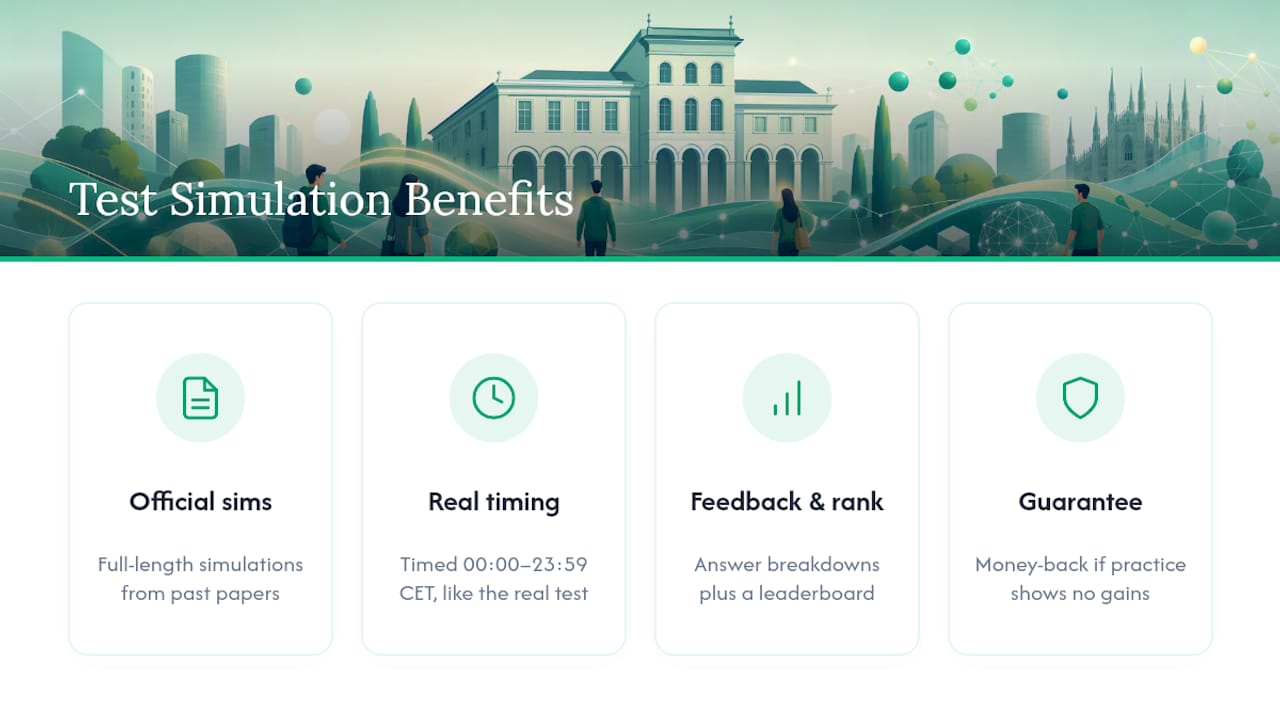
Students who train this way tend to see meaningful score gains before test day, backed by a money-back guarantee if the practice doesn’t deliver. Once you’ve locked in your test date on Bocconi Webtesting, check your progress dashboard and start a diagnostic run to see exactly where your prep stands.
Sources
- Istruzioni e regole - Test Online Bocconi (PDF)
- Iscrizione al test Bocconi 2026: come funziona, scadenze e procedura - TestBuddy
Recommended
Related articles
Ready to ace your admission test?
Discover PrepAdmit, the platform that helps you succeed at top university admission tests.
Discover PrepAdmit