Bocconi PST Test: Practical Prep Guide for U.S. Applicants

Bocconi PST Test: Practical Prep Guide for U.S. Applicants
The PST test is Bocconi University’s 50-question online admission exam. Your first move: take the official Bocconi simulation to set a baseline before you study anything else.
A few things to know upfront:
- Who takes it: All applicants to Bocconi’s undergraduate, graduate, and specialized master programs.
- Attempts: The official instructions cap attempts per academic year; check the current rules PDF for your program level before booking.
- Why the simulation matters: It shows you exactly which sections cost you the most points, so you study what actually needs work.
Table of Contents
- What the PST covers: undergraduate vs. graduate breakdown
- How to register, fees, attempts, and U.S. booking tips
- Technical setup and proctoring: what you need to pass the room check
- How scoring works and when you get your results
- Official simulations, drills, and Prepadmit: what to use and when
- Your test-day checklist and what to do if something goes wrong
- Key Takeaways
- Preparing for Bocconi from the U.S. takes a specific kind of plan
- Prepadmit gives you the structure the PST actually demands
What the PST covers: undergraduate vs. graduate breakdown
The exam structure differs by program level, so confirm which version applies to you before you start preparing.
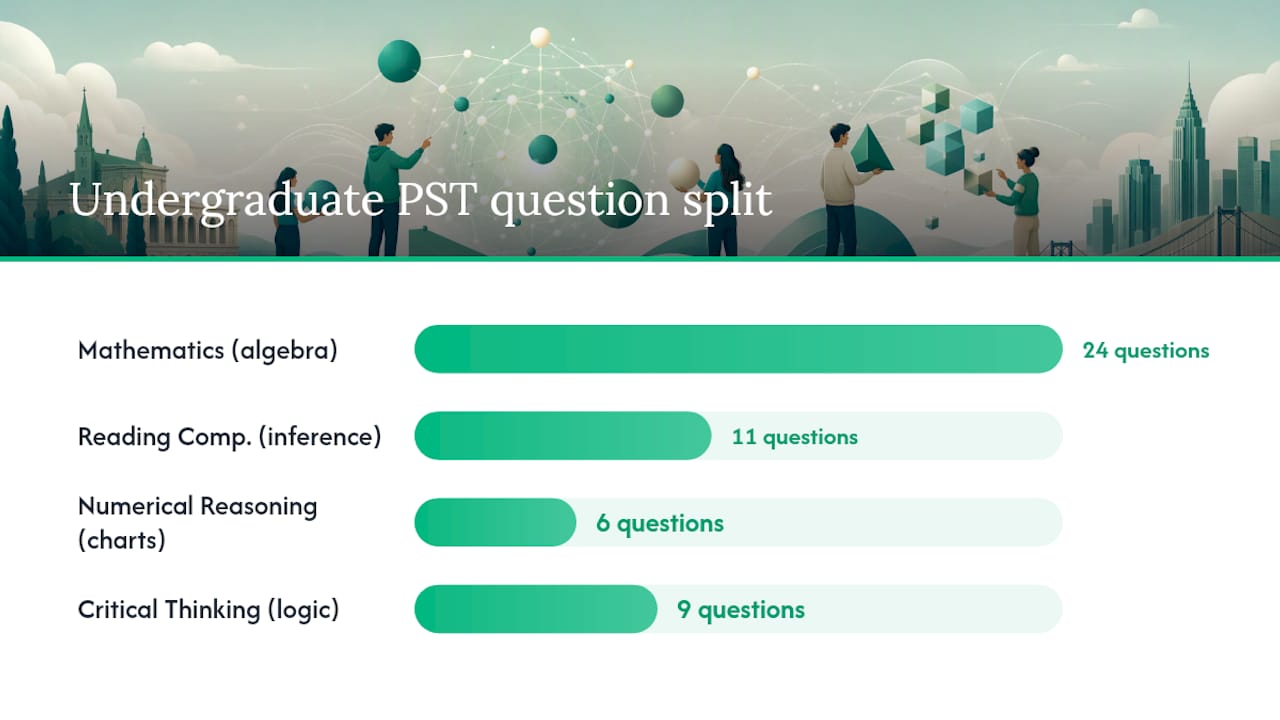
Undergraduate format (50 questions, 75 minutes):
| Section | Questions | What it tests |
|---|---|---|
| Mathematics | 24 | Algebra, arithmetic, geometry, basic statistics |
| Reading Comprehension | 11 | Passage analysis, inference, vocabulary in context |
| Numerical Reasoning | 6 | Chart and table interpretation |
| Critical Thinking | 9 | Logical deduction, argument evaluation |
Graduate format (50 questions):
| Section | Questions | What it tests |
|---|---|---|
| Verbal reasoning | 24 | Reading, inference, language precision |
| Data insight | 16 | Chart, graph, and data-set interpretation |
| Quantitative reasoning | 10 | Applied math and numerical logic |
A quick example of what each type looks like in practice: a Reading Comprehension question gives you a short passage and asks what the author implies, not what they state directly. A Numerical Reasoning question shows a bar chart and asks which year had the steepest percentage drop. Critical Thinking presents a short argument and asks which answer choice most weakens it.
Key insight: Bocconi’s own admissions pages confirm there is no official preparation manual. The test is built around analytical thinking, not memorized formulas.
How to register, fees, attempts, and U.S. booking tips
Registration happens entirely on the Bocconi webtesting platform. Specialized master applicants use a separate portal; the master program instructions explain that booking flow and its refund rules.
Step-by-step registration:
- Create an account on the webtesting platform.
- Purchase an attempt (fee: €60 per attempt).
- Select your program type and preferred language.
- Choose a date and time slot, noting that all times display in CET/CEST.
- Print or save your access credentials before test day.
U.S. time zone note: CET is UTC+1 and CEST is UTC+2. A 9:00 AM CET slot is 3:00 AM EST in winter and 3:00 AM EDT in spring. Aim for afternoon CET slots (2:00–5:00 PM CET), which land at 8:00 AM–11:00 AM EST. That keeps you alert and keeps live support reachable.
Pro Tip: Book your slot at least two weeks out. Date changes and refunds follow strict rules outlined in the 2026–2027 instructions, and last-minute changes are rarely possible.
Technical setup and proctoring: what you need to pass the room check
A technical failure on test day can cancel your attempt with no refund. The 2026–2027 instructions are specific about what is required.
Device and software checklist:
- Primary computer (laptop or desktop) with a working webcam and microphone.
- Safe Exam Browser installed and tested before the session.
- A secondary mobile device (phone or tablet) positioned to show your full workstation from the side.
- Stable internet connection; Ethernet is strongly preferred over Wi-Fi.
- A quiet, well-lit room with no other people present.
- Valid photo ID ready to show the proctor.
How proctoring works: A proctor monitors your session via webcam and the secondary device feed. Movement in the background, poor lighting, or another person entering the room can trigger an immediate cancellation. The platform records the session.
Support hours are listed in the official instructions PDF. U.S. applicants should confirm those hours convert to a workable window before booking. Afternoon CET slots typically fall within support availability.
How scoring works and when you get your results
Your score report is available within approximately 48 hours of completing the test, per the official instructions. It includes:
- Total score.
- Per-area scores for each section.
- Counts of correct, blank, and wrong answers.
- A reference number for your attempt.
On wrong answers: Review the official instructions for your program year to confirm the exact penalty rules, as these can vary. In many multiple-choice formats, blank answers score zero while wrong answers carry a small deduction, making random guessing riskier than a considered skip.
Use your per-area scores strategically. If Mathematics cost you the most points, that is where your next study block goes. If Critical Thinking is already strong, maintain it with lighter review.
| Score report element | What to do with it |
|---|---|
| Per-area scores | Identify your weakest section and prioritize it |
| Correct/blank/wrong counts | Assess whether guessing hurt or helped |
| Reference number | Keep it for any support queries |
Official simulations, drills, and Prepadmit: what to use and when
Bocconi recommends reviewing the subject areas on its official test page; there is no single official prep manual. That means your prep toolkit matters.
Official resources:
- The Bocconi webtesting platform provides a sample simulation. Use it twice: once at the start for a baseline, and once in the final week as a reality check.
- The instructions PDFs explain navigation rules and conduct requirements. Read them fully before your first practice session.
How to combine resources:
Prepadmit is built specifically for this exam. Its on-demand mocks and progress tracker let you run full simulations at any hour, which matters when you are preparing from a U.S. time zone. The platform uses official past papers, offers skill-specific drill modes for each PST section, and shows your ranking against other candidates so you know where you actually stand.
| Phase | Official resource | Prepadmit feature |
|---|---|---|
| Baseline | Official simulation | Diagnostic mock |
| Skill building | Review subject-area descriptions | Section drills with corrections |
| Full mocks | Official sample test | On-demand timed mocks |
| Progress check | Score report | Progress tracker and leaderboard |
Your test-day checklist and what to do if something goes wrong
Before you start:
- Devices fully charged; Ethernet cable connected.
- Safe Exam Browser open and tested.
- Secondary phone positioned to show your full desk.
- Room cleared, door closed, lighting bright and even.
- Photo ID within reach.
- Access credentials printed or on a separate device.
- Support contact information saved.
If something goes wrong:
- Do not close the browser. Stay at your desk.
- Check your internet connection first; reconnect if dropped.
- Contact platform support using the link in your confirmation email. Support hours are listed in the 2026–2027 instructions.
- If the proctoring system fails entirely, document the issue with a screenshot and contact Bocconi admissions directly.
Book afternoon CET slots (2:00–5:00 PM CET) to keep support hours accessible from the U.S. East Coast.
Key Takeaways
The PST test is a 50-question, 75-minute online exam where your per-section scores, not just your total, determine where to focus your preparation.
| Point | Details |
|---|---|
| Format and timing | 50 multiple-choice questions in 75 minutes; undergraduate and graduate versions differ by section. |
| Take the simulation first | Run the official Bocconi simulation before studying to identify your weakest sections. |
| Math is the biggest section | Mathematics accounts for 24 of 50 undergraduate questions; prioritize it early in your plan. |
| Navigation is irreversible | Answers cannot be changed once you move forward; practice under sequential conditions from day one. |
| Prepadmit for structured prep | Prepadmit’s official past papers, on-demand mocks, and progress tracker map directly to PST sections and support a 6–8 week plan. |
Preparing for Bocconi from the U.S. takes a specific kind of plan
Most students preparing from the U.S. underestimate one thing: the time zone problem is not just about when you book the test. It affects when you practice, when support is available, and how alert you are during a 75-minute timed session. A student who books a 7:00 AM CET slot from New York is sitting down at 1:00 AM. That is a real disadvantage, and it is entirely avoidable.
The other thing worth saying plainly: the PST is not a test you can cram for in a week. The reasoning skills it measures, especially chart interpretation and logical argument analysis, take repeated exposure to develop. A 6–8 week plan with consistent timed practice is realistic. Two weeks of last-minute review is not.
Use the official simulation as your anchor. Use a structured platform like Prepadmit for the daily work between simulations. The combination of realistic conditions and targeted feedback is what actually moves scores.
Prepadmit gives you the structure the PST actually demands
Scoring well on the PST requires more than reading the official subject list. You need timed, realistic practice under the same sequential conditions as the real exam, plus a clear picture of which sections are holding your score back.
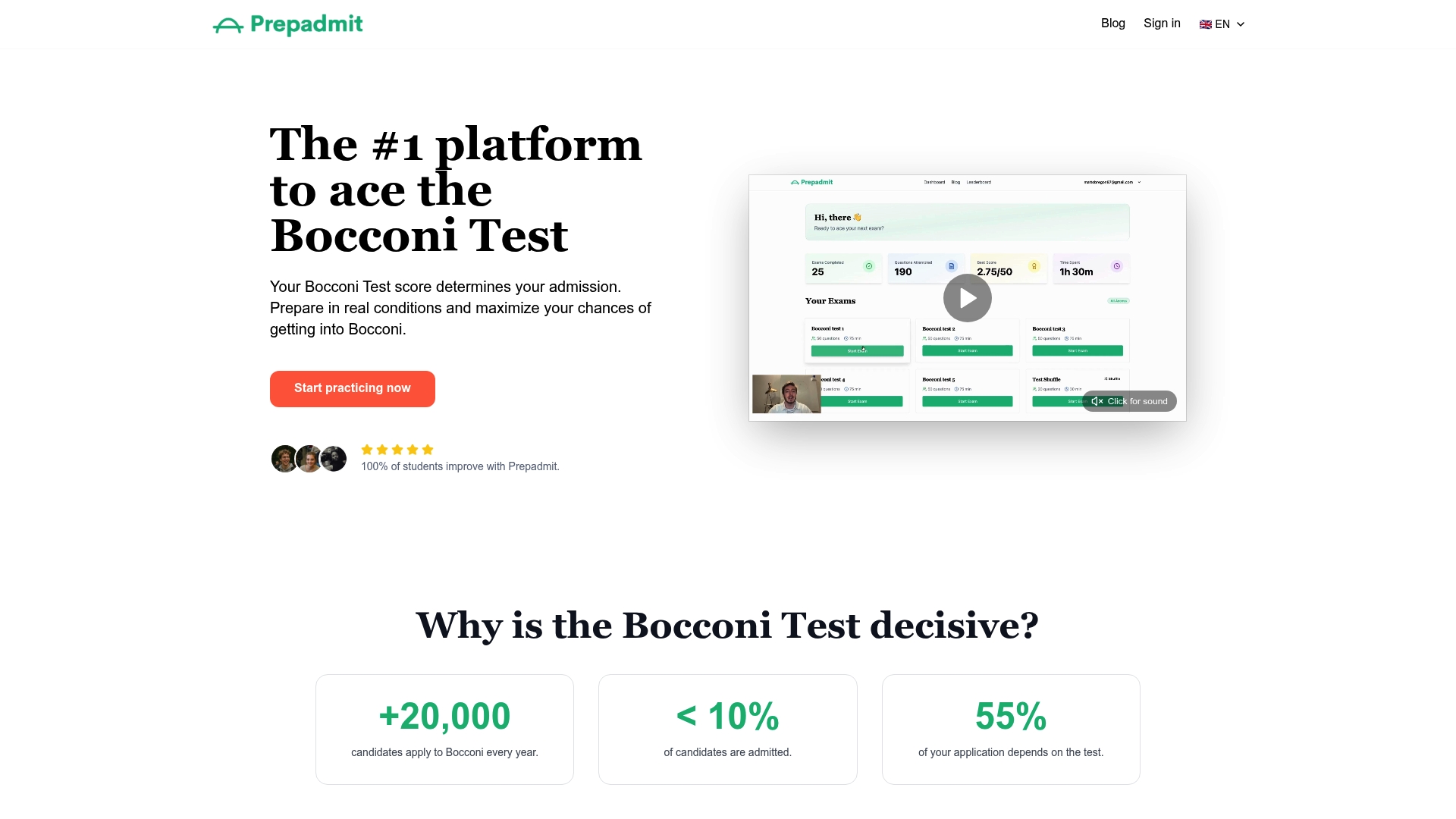
Prepadmit is built for exactly this. The platform uses official past papers, runs on-demand full mocks at any hour (useful when you are prepping from a U.S. time zone), and gives you detailed corrections for every wrong answer. Skill-specific drills let you isolate Mathematics or Critical Thinking without running a full 75-minute session every time. The progress tracker and leaderboard show your improvement over time and where you rank against other candidates. The platform was developed by experts with HEC and Bocconi backgrounds, and it comes with a money-back guarantee. Students using Prepadmit see an average score improvement of 34%.
Run your diagnostic today at prepadmit.com and start your 6–8 week plan with a clear baseline.
Recommended
Related articles
Ready to ace your admission test?
Discover PrepAdmit, the platform that helps you succeed at top university admission tests.
Discover PrepAdmit