The Day Before the Bocconi Test: Your Exact Checklist

The Day Before the Bocconi Test: Your Exact Checklist
Confirm your booked test slot and login credentials, run a full technical and proctoring check, and lay out valid ID with a quiet workspace ready. That is the entire job the day before the Bocconi test. Everything else this evening is just making sure those three things actually hold up tomorrow.
Do these tonight, in order:
- Log into Bocconi WebTesting and confirm your booking is active for the correct date.
- Run the platform’s system check on the exact device you plan to use tomorrow.
- Charge every device fully, including your phone (which you will not touch during the test).
- Put your ID somewhere visible, next to your laptop, not buried in a bag.
- Pick a quiet room and tell anyone at home when you’ll be testing.
Pro Tip: If you’ve had any doubts about your Wi-Fi or webcam, schedule your session inside Bocconi’s technical-support hours so a real person can help you if something breaks.
Key Takeaways
Success the day before the Bocconi test comes down to three verified checks: confirmed booking and login access, a passed technical and proctoring test, and a rested, distraction-free environment.
| Point | Details |
|---|---|
| Confirm booking first | Verify your slot was booked at least 48 hours in advance and matches tomorrow’s date. |
| Run the tech check tonight | Test browser, webcam, microphone, and connection at least 24 hours before the exam. |
| Know the scoring rules | Correct answers earn +1, wrong answers cost −0.25, so skip rather than blind-guess when unsure. |
| Keep ID and support info ready | Have valid ID visible and Bocconi’s support hours (Mon–Thu 9:00–18:00, Fri 9:00–16:30) saved. |
| Rehearse under real conditions | A Prepadmit timed mock the night before matches the 50-question, 75-minute format and flags weak spots fast. |
Table of Contents
- Quick Checklist for the Evening Before and the Morning of the Test
- What Booking Deadlines and Refund Rules Should You Check Tonight?
- What Technical Requirements and Proctoring Rules Should You Verify?
- What Documents Do You Need and How Do You Show Your ID?
- What Is the Test Format and How Should You Approach Scoring?
- What Should You Do If Something Goes Wrong on Test Day?
- What Should Your Final Rehearsal Look Like the Night Before?
- Want One More Realistic Run-Through Before Tomorrow?
- Sources
Quick Checklist for the Evening Before and the Morning of the Test
Print this section, or screenshot it. It’s the whole night and morning in two lists.
Evening before:
- Run the final system test on Bocconi WebTesting.
- Update Google Chrome to the latest version.
- Grant webcam and microphone permissions and test both.
- Charge your laptop and phone to 100%.
- Clear your desk into a quiet, distraction-free workspace.
- Set your ID somewhere visible on the desk.
- Save your test credentials and booking confirmation where you can find them fast.
- Keep your payment receipt handy in case support asks for it.
Morning of the test:
- Log in 30 to 60 minutes before your slot to catch any last surprises.
- Close every background app, especially anything that pings notifications.
- Put your phone across the room, charged but out of reach.
- Have water and a light snack nearby.
- Wear something comfortable. Nobody is grading your outfit.
Pro Tip: If you’re nervous about connection drops or camera glitches, book a start time that falls within official technical-support hours rather than late at night, when nobody can pick up.
What Booking Deadlines and Refund Rules Should You Check Tonight?
The single rule students forget most: you must book your test slot at least 48 hours before the date you actually sit it. If your booking confirmation shows anything closer than that window, something went wrong and you need to fix it now, not tomorrow morning.
Confirm these three things in your account tonight:
- Your booking confirmation shows a date at least 48 hours out from when you registered.
- You have attempts remaining. Bocconi caps candidates at four attempts total across the academic testing period, and you cannot retake the test the same day or on back-to-back days.
- Your target test date lands well before the final cutoff for your application round. Taking the test isn’t the same as applying to Bocconi, which has its own separate deadline.
By the numbers: Candidates get four total attempts per academic year, each one requiring a booking made at least 48 hours in advance. Miss that window and you’re pushed to a later date, possibly too late for your round.
The registration fee runs a set fee per attempt, paid by credit card or PayPal at checkout. Refunds depend heavily on timing: cancel with enough notice and you may recover the fee, but an invalidated tests due to rules breaches do not qualify for refunds, so read the cancellation window in your confirmation email tonight, not after a problem hits.
What Technical Requirements and Proctoring Rules Should You Verify?
The test runs entirely online through Bocconi WebTesting, and a proctoring system watches your screen, camera, and microphone the whole time. That means your setup matters as much as your preparation. Verify these before you sleep:
- A desktop or laptop (not a tablet or phone) running an up-to-date OS.
- Google Chrome installed and updated, plus any required browser extension the platform prompts you to add.
- A working webcam and microphone with permissions already granted, not “granted when asked.”
- A stable broadband connection. Test it with the actual system check tool, not by guessing.
The proctoring system flags specific behaviors as violations: another person entering camera view, leaving the frame, or covering the screen or webcam. Any of these can trigger an invalidation, which means no score and no refund.
Run the entire webtesting flow, including extension installation and permission grants, at least 24 hours before your test. Most failures trace back to an outdated browser or a permission the OS quietly blocked, and both are fixable only if you catch them early.

Pro Tip: If you expect any tech hiccup at all, book your slot during support hours: Monday through Thursday 9:00 to 18:00, or Friday 9:00 to 16:30. Outside those hours, you’re troubleshooting alone.
What Documents Do You Need and How Do You Show Your ID?
You need a valid government-issued ID, exactly as specified in Bocconi’s official instructions. No expired documents, no photos of documents on your phone screen. Have your booking confirmation and payment receipt ready too, in case support asks to verify your session.
When the proctoring system prompts you to show ID, hold it flat, well-lit, and fully inside the camera frame; no glare, no cropped edges, no shaky hands blocking half the text.
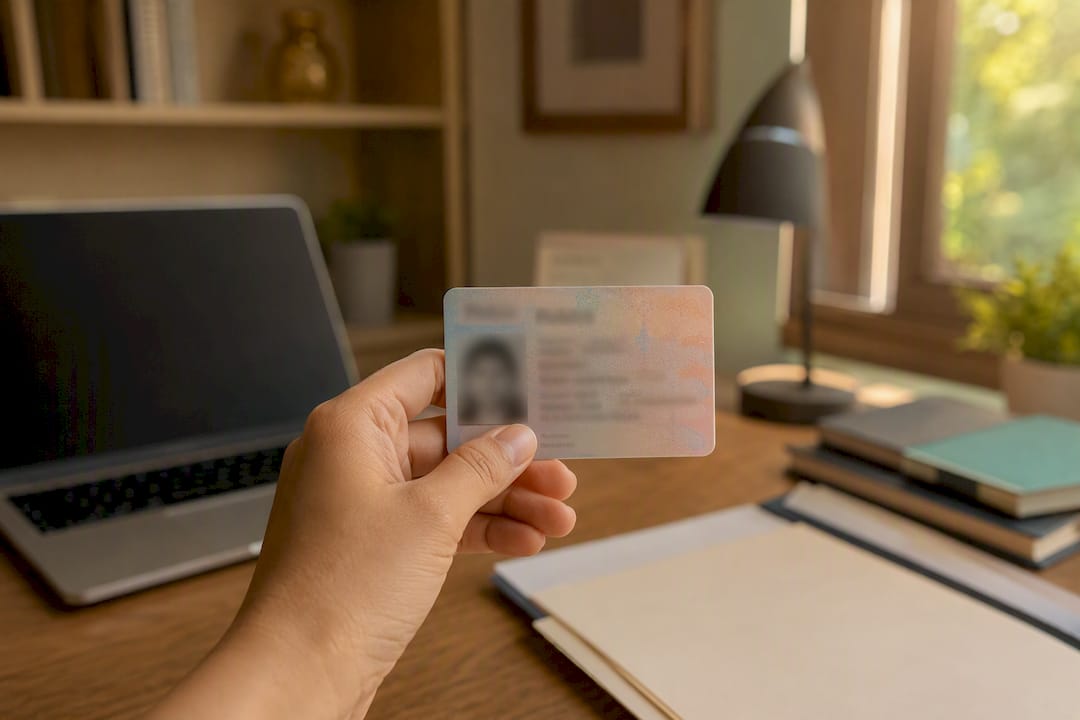
Pro Tip: Set your ID and a small lamp or extra light source at your test seat tonight, so you’re not scrambling for good lighting mid-exam tomorrow.
What Is the Test Format and How Should You Approach Scoring?
The Online Bocconi Test is 50 multiple-choice questions in 75 minutes, covering numerical reasoning, critical thinking, reading comprehension, and, depending on the test version, English.
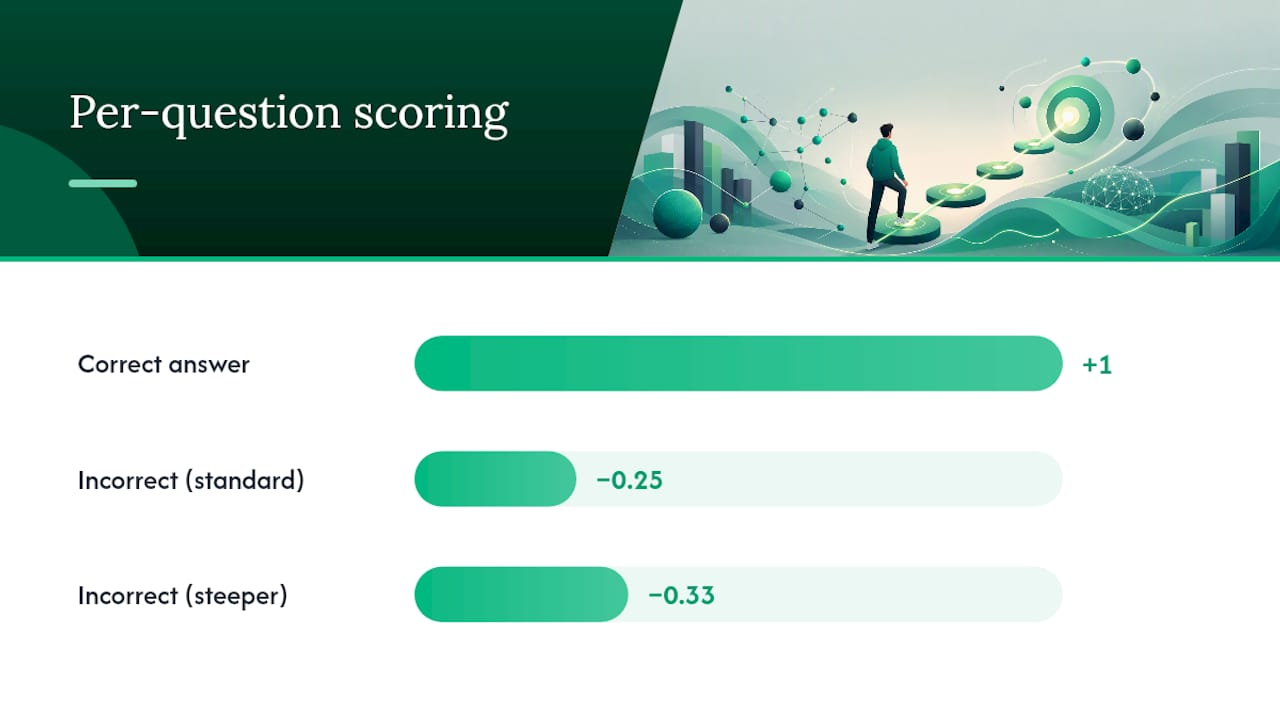
Scoring rewards accuracy over guessing volume: a correct answer earns +1, an incorrect one costs −0.25. Some question types may apply a steeper −0.33 penalty, so confirm the exact breakdown in your official instructions rather than assuming.
That penalty structure changes how you should approach uncertain questions. Random guessing on four options with a −0.25 penalty is roughly breakeven, not a clear loss, but guessing on a question where you’ve eliminated zero options is weaker than skipping and returning later if time allows.
Your day-before strategy should be simple:
- Decide your per-section time budget now, not mid-test.
- Mark tough questions instead of freezing on them, then move on.
- Return to marked questions only if time remains at the end.
- Guess rather than leave a question blank once time is nearly up.
By the numbers: 50 questions, 75 minutes works out to an average time allowance per question that requires good time management, though reading comprehension sets typically demand more.
Pro Tip: Run one final full-length simulation the evening before and practice the exact skip-and-return motion you’ll use tomorrow. Muscle memory matters more than last-minute cramming. A detailed breakdown of the format can help you rehearse section by section if you want more structure.
What Should You Do If Something Goes Wrong on Test Day?
Stay calm and document the problem immediately. Take a screenshot or phone photo of any error message before you try to fix anything. Then try the basics: reconnect your Wi-Fi, reboot the browser or the machine, and attempt to rejoin the session through the platform’s normal flow.
If that fails, contact Bocconi technical support directly during their hours: Monday through Thursday 9:00 to 18:00, Friday 9:00 to 16:30. Send your booking confirmation, a description of the error, and your screenshot in the same message so support isn’t chasing details.
An unresolved technical failure can mean an invalidated attempt, and refund eligibility depends on the circumstances, not automatic. Ask support directly whether a review or retry applies to your case.
Pro Tip: Save your booking confirmation and support contact details as a phone photo before you start. Digging through email during an active problem wastes minutes you don’t have.
What Should Your Final Rehearsal Look Like the Night Before?
Run one final simulation, 30 to 75 minutes, at the same desk, same lighting, same camera angle you’ll use tomorrow. Follow the exact login and proctor steps from start to finish, not a shortcut version.
Keep the mental prep light. Review strategy notes and formulas only; this isn’t the time to learn a new question type. Aim for 7 to 9 hours of sleep, since fatigue affects reasoning speed more than most students expect.
- Rehearse the login and system check exactly as you will tomorrow.
- Time one section under real conditions, not casually.
- Skim short notes only. Skip new practice material entirely.
- Get to bed early enough for a full night’s sleep.
Pro Tip: Limit tonight’s review to a single page of formulas or key strategies. Anything longer starts to feel like new material, and new material the night before tends to raise anxiety instead of lowering it.
A Brief Note on Priorities
If you remember one order tonight, make it this: confirm access first, verify your tech second, protect your sleep third. Most day-before failures trace back to skipping one of those, not to weak content knowledge. Prepadmit’s full-length simulations are built for exactly this kind of final rehearsal.
Want One More Realistic Run-Through Before Tomorrow?
If your system check passed and your booking is confirmed, the last variable left is whether the actual test experience will rattle you. Prepadmit runs on-demand simulations built to match the Bocconi format exactly: 50 questions, 75 minutes, proctor-style cues, and the same negative-marking structure you’ll face tomorrow.
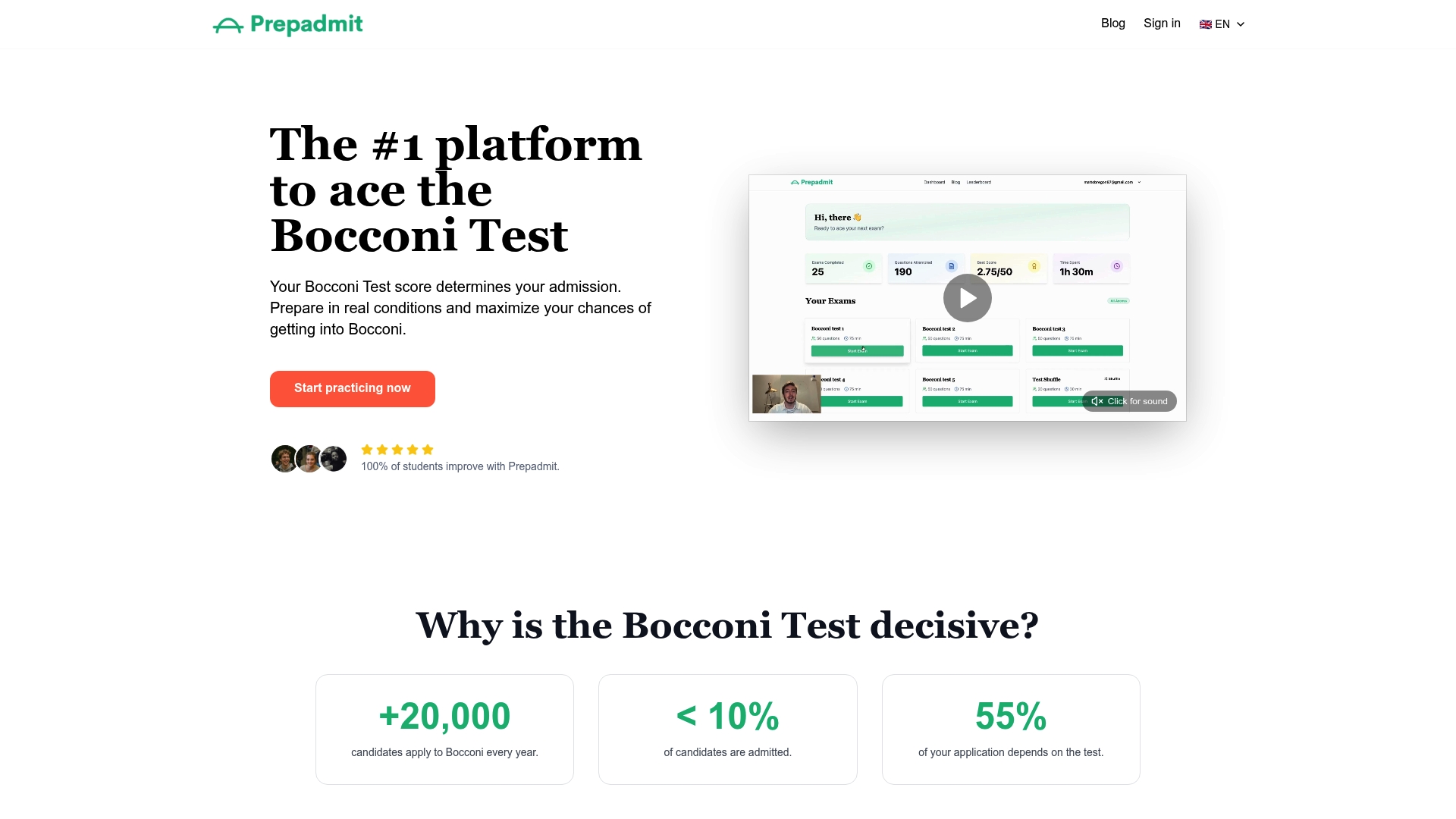
That match matters more than generic practice. A mock that doesn’t mirror the real timing or scoring teaches you the wrong instincts, and instincts are exactly what you’re relying on under a 75-minute clock. Prepadmit’s simulations come with detailed answer corrections right after you finish, so you see precisely which question types cost you points instead of guessing at your weak areas the night before an exam you can’t retake for days.
Pro Tip: Use Prepadmit’s short last-minute review module to refresh core formulas and your answering strategy, rather than opening a new textbook chapter tonight.
If you want a final rehearsal under realistic conditions, sign in and run a timed mock tonight, ideally during Bocconi’s technical-support hours in case you also want to test your live setup afterward.
Sources
Before you close your laptop tonight, bookmark these:
- Istruzioni e regole - Test online A.A. 2026/27 (Università Bocconi PDF)
Recommended
Related articles
Ready to ace your admission test?
Discover PrepAdmit, the platform that helps you succeed at top university admission tests.
Discover PrepAdmit